Track Whether AI Assistants Recommend Your Brand
A hands-on walk-through: send your keywords to Claude Code, Codex CLI, Gemini CLI, and a direct model API, read back mentions, citations, and a visibility score, and run it every week.

- What you need
- Step 1: Start a job
- Step 2: Poll the job
- Step 3: Read the result
- Step 4: The same thing in Python
- Step 5: Run it every week over a keyword list
- Reading the trend
- What it costs
You want to know a simple thing: when someone asks an AI assistant about your category, does it recommend you? This tutorial builds a small script that answers it for a list of keywords, compares you with your competitors, and runs every week.
It uses the Serply AI Visibility API, which is in beta. If you want to see a result before writing any code, run the same request in the playground. The reference docs list every field. If you are new to the ideas of mention, citation, and citation position, start with What is GEO.
What you need
- A Serply API key (in the
SERPLY_API_KEYenvironment variable below). - Your site, your brand name, and up to five competitor domains.
- A short list of keywords, phrased the way a customer would ask.
Step 1: Start a job
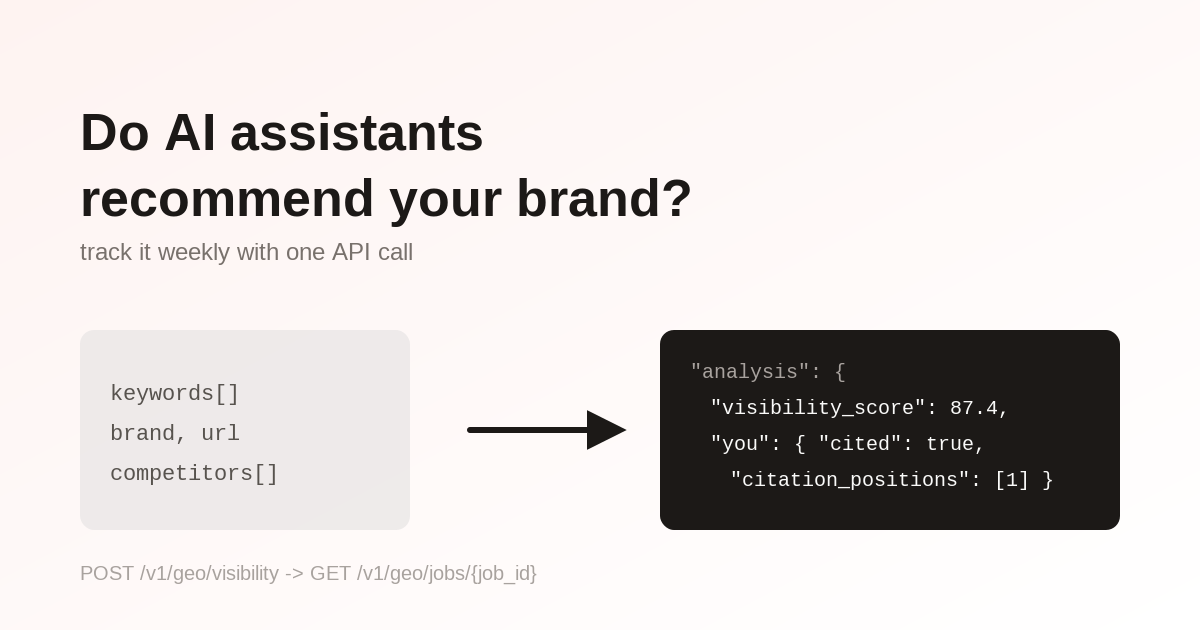
POST /v1/geo/visibility takes up to five keywords per job. provider picks the engines - tool (a direct model API call), claude (Claude Code), codex (Codex CLI), gemini (Gemini CLI), or all. search is native (each engine’s own web search, the default) or serply (every engine searches through Serply).
curl --request POST \
  --url 'https://api.serply.io/v1/geo/visibility' \
  --header "X-Api-Key: $SERPLY_API_KEY" \
  --header 'Content-Type: application/json' \
  --data '{
    "keywords": ["best serp api", "google search api for ai agents"],
    "url": "https://example.com",
    "brand": "Example",
    "competitors": ["competitor-a.com", "competitor-b.com"],
    "provider": "all",
    "search": "native",
    "country": "us"
  }'
The response is 202 Accepted with a job ID:
{ "job_id": "geo_01J...", "status": "queued" }Step 2: Poll the job
Each run drives a full AI engine - it searches, reads pages, and then answers - so a job takes from about 30 seconds to several minutes. Poll every few seconds until status is done or failed:
curl --url 'https://api.serply.io/v1/geo/jobs/geo_01J...' \
  --header "X-Api-Key: $SERPLY_API_KEY"
Step 3: Read the result
A finished job has one entry in results per keyword per engine. The fields that answer “do they recommend us?” are in analysis:
analysis.visibility_score- 0 to 100 for that run.analysis.you.mentionedandanalysis.you.cited- whether the answer named you, and whether it linked to your site.analysis.you.citation_positions- where your citations sit among the sources, 1 being first.analysis.competitors- the same fields for each competitor, from the same answer.
answer, citations, and queries are there too, for when you want to know why a score is what it is.
Step 4: The same thing in Python
This script starts a job, polls it, and prints one line per run:
import os
import time

import requests

API = "https://api.serply.io/v1/geo"
HEADERS = {"X-Api-Key": os.environ["SERPLY_API_KEY"]}


def run_visibility(keywords, url, brand, competitors, provider="all", search="native"):
    job = requests.post(f"{API}/visibility", headers=HEADERS, timeout=30, json={
        "keywords": keywords,
        "url": url,
        "brand": brand,
        "competitors": competitors,
        "provider": provider,
        "search": search,
    })
    job.raise_for_status()
    job_id = job.json()["job_id"]

    while True:
        status = requests.get(f"{API}/jobs/{job_id}", headers=HEADERS, timeout=30).json()
        if status["status"] in ("done", "failed"):
            return status
        time.sleep(5)


result = run_visibility(
    keywords=["best serp api", "google search api for ai agents"],
    url="https://example.com",
    brand="Example",
    competitors=["competitor-a.com", "competitor-b.com"],
)

for run in result.get("results", []):
    if not run.get("ok"):
        print(run["keyword"], run["provider"], "error:", run.get("error"))
        continue
    a = run.get("analysis", {})
    you = a.get("you", {})
    rivals = {name: c.get("cited") for name, c in a.get("competitors", {}).items()}
    print(
        f'{run["keyword"]!r:40} {run["provider"]:7} '
        f'score={a.get("visibility_score")} cited={you.get("cited")} '
        f'positions={you.get("citation_positions")} competitors_cited={rivals}'
    )
A job can finish as done while a single run failed, so the script checks ok on each result rather than trusting the job status alone.
Step 5: Run it every week over a keyword list
One job takes up to five keywords, so a longer list is split into batches. Store every run so you can chart it later; a CSV is enough to start:
import csv
import datetime

KEYWORDS = [
    "best serp api",
    "google search api for ai agents",
    "web scraping api with markdown output",
    "reddit api without oauth",
    "cheapest google search api",
    "search api for langchain",
]

today = datetime.date.today().isoformat()

with open("ai_visibility.csv", "a", newline="") as f:
    writer = csv.writer(f)
    for i in range(0, len(KEYWORDS), 5):
        batch = KEYWORDS[i:i + 5]
        result = run_visibility(batch, "https://example.com", "Example",
                                ["competitor-a.com", "competitor-b.com"])
        for run in result.get("results", []):
            a = run.get("analysis", {})
            you = a.get("you", {})
            writer.writerow([
                today, run["keyword"], run["provider"], run.get("ok"),
                a.get("visibility_score"), you.get("mentioned"), you.get("cited"),
                ";".join(map(str, you.get("citation_positions", []))),
            ])
Schedule it weekly with whatever you already run - cron, a CI schedule, or a serverless timer:
0 6 * * 1 cd /opt/geo && python weekly_visibility.pyReading the trend
Answers vary from run to run, so treat a single result as a sample and the weekly trend as the signal. When a score moves, read that run’s queries and citations: a new competitor citation or a community thread that started showing up in the sources usually explains it.
What it costs
A job costs 10 credits per engine you select, for up to five keywords: provider: "claude" is 10 credits, provider: "all" is 30. Polling the job is free. So batch your keywords: five keywords in one job cost the same as one.